Inside “system32” or “SysWOW64” folder, look for the dll file, “MobitekSMSAPI7.dll”, then right click > Properties > Version to show the “File version”.

How to Find the Version Number
Inside “system32” or “SysWOW64” folder, look for the dll file, “MobitekSMSAPI7.dll”, then right click > Properties > Version to show the “File version”.
How to Find the Version Number
Last updated on 29/Sep/2016
| OPERATORS | PLANS | SMS to SAME NETWORK | SMS to OTHER NETWORKS | SOURCE |
|---|---|---|---|---|
| Celcom | Xpax Turbo | 12 sen | 12 sen | https://www.xpax.com.my/xpaxturbo |
| Celcom | FIRST™ Platinum RM150/month | Unlimited SMS | Unlimited SMS | https://www.celcom.com.my/personal/plans/platinum |
| Digi | Preaid Best | 6 sen | 12 sen | http://new.digi.com.my/prepaid |
| Digi | Preaid LiVE | 20 sen; for Buddyz 0 sen | 20 sen | http://new.digi.com.my/prepaid |
| Digi | Postpaid 80 / 78 / 68 / 48 | 10 sen | 10 sen | http://new.digi.com.my/postpaid-plans |
| Digi | Postpaid 28 | 15 sen | 15 sen | http://new.digi.com.my/postpaid-plans |
| Digi | Postpaid 128 / 218 | Unlimited SMS | Unlimited SMS | http://new.digi.com.my/postpaid-plans |
| Maxis Hotlink | Hotlink FAST pack | 1 sen | 12 sen | http://www.hotlink.com.my/en/plans/fast.html |
| Maxis | MaxisONE Plan 188 / 158 / 128 / 98 | Unlimited SMS | Unlimited SMS | http://www.maxis.com.my/en/personal/plans/postpaid-plans/maxisone.html |
| U Mobile | Power Prepaid | 8 sen | 8 sen | http://www.u.com.my/prepaid |
| U Mobile | Hero Postpaid P98 / P70 / P50 | 3 sen | 8 sen | http://www.u.com.my/postpaid |
| U Mobile | Hero Postpaid U28 | 5 sen | 12 sen | http://www.u.com.my/postpaid |
For multiple SMS Engines,

This post has been moved to https://www.mobitek.my/main/news/change-log-of-the-contents-of-mobitek-sms-gateway-development-kit-installer/
This guide applies to the following MOBITEK products:-
USB Driver had been pre-installed in the following Linux Distro:-
For other distro, you may need to compile the driver into Linux kernel which is not covered in this guide.
 Click on “install”


Problem: I have old VB6 code, what is the easiest way to convert or port to VB.Net?
Solution:-


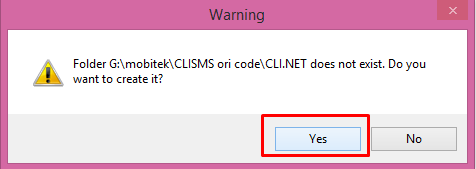
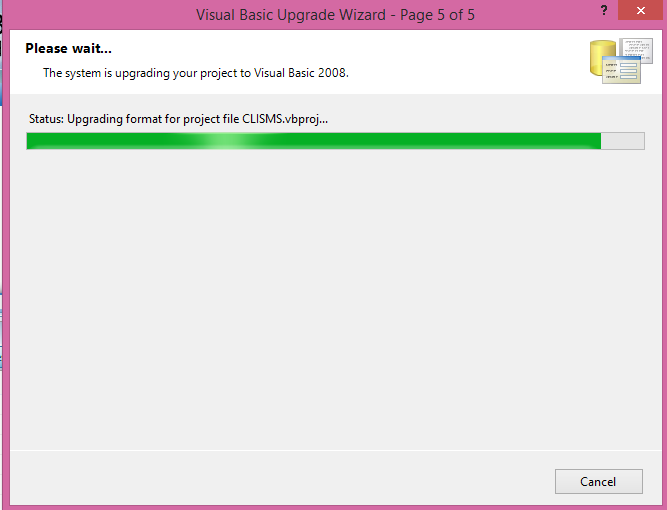

The following steps are optional.
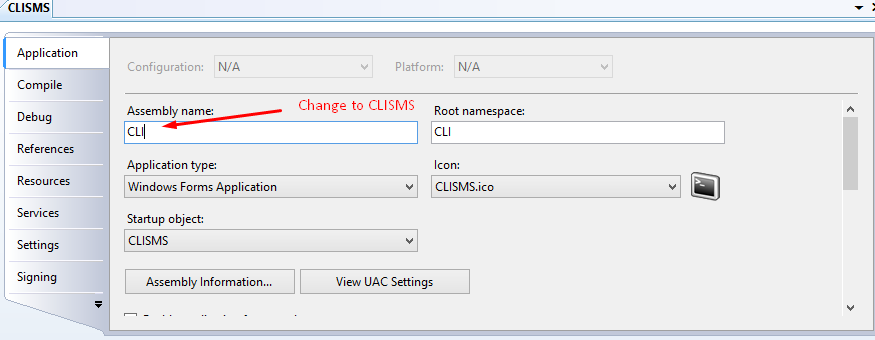


Note: The clisms cant worked correctly if it situated on network folder. it must be copied into our local disk.
Reported by,
Iqa
Download user’s guide and software from here …
Step 1: DO NOT connect USB cable or connect modem to PC/server.
Step 2: Install the USB driver first by clicking on ‘run’. USB driver can be downloaded from here — https://www.mobitek.my/download/USB Drivers/USB Driver for MOBITEK S80.zip

Step 3: Click on ‘next’.
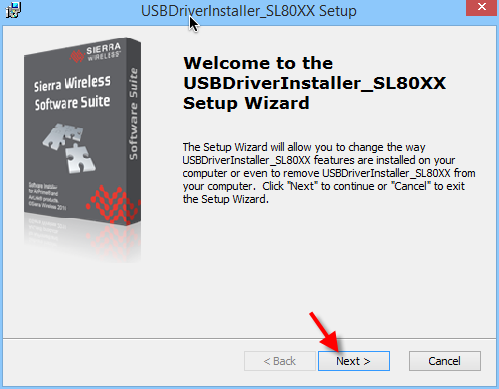
Step 4: Check the ‘I accept the terms in the License Agreement’ and click on ‘Next’.

Step 5: Choose the installation folder or path, then click on ‘Next’.
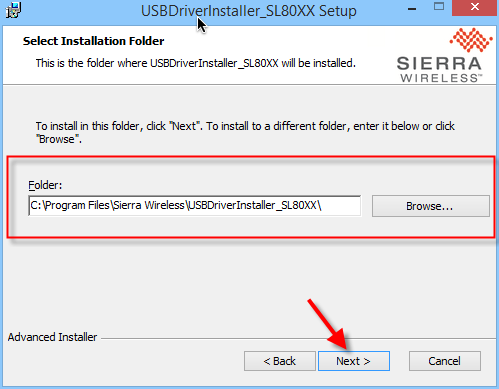
Step 6: Click on ‘Install’.

Step 7: Make sure to restart the machine or computer in order to use the installed driver.

Step 8: After computer is restarted, connect the modem to the computer. In device manager, the connected modem is listed as ‘Sierra Wireless AT Command Port (UMTS)’. In this example, the modem is connected to COM port number 29.

Applies to these products:-
MOBITEK SMS API version 9.2 — manual for software developer has been revised and published. Please view it at http://www.mobitek.my/main/mobitek-sms-api-version-9-manual-for-software-developer/