
MOBITEK MobiGATE
MOBITEK® MobiGATE model: SG-B-8-L / SG-B-8-L-W / SG-B-4-L / SG-B-4-L-W
All these models have LAN connectivity and are IP based SMS gateway.
MOBITEK® MobiGATE has an IP address, e.g. 192.168.10.220
Each modem/SIM card has an IP address:port, e.g.
MobiGATE can be scaled up. Multiple units of MobiGATE is connected to 1 server.

Multiple units of MobiGATES located in various countries (Indonesia, Philippines, Malaysia) are centrally controlled by 1 server in Singapore.

1 unit of MobiGATE can be shared by multiple servers in local area network.






Version 1.6.2: fixed “unhandled exception” bug when monitoring status of modem.
More Information
 CISMS v6 wil be installed in C:/Program Files/Mobitek/CLISMS


- To sent out sms :-
clisms.exe /port=2 /to=0162211600 /msg=Alert [press “Enter”]
echo “sent” [press “Enter”]
Refer to the manual https://www.mobitek.my/main/how-to-send-and-read-sms-by-using-command-line/
New: minor improvement; log file correctly state the version number.
Version 6.1: has fixed a bug — in the inbox table, both “scts” and “dateime_recv” have the same time stamp; by right “scts” should take the value from properties “scts” which is the time stamp of network operator.
Version 6.0: supports concatenation of multiple part of SMS when sending out, i.e. it can send SMS with more than 160 characters.
MOBITEK SMS Engine is able to work in Windows Server 2003 / 2008 / 2012, 32 bit and 6
MOBITEK SMS Engine — Enterprise Edition is a Windows Service that sends and receives SMS. System integrator and software developer do not need to write any code to build a SMS Gateway. The MOBITEK SMS Engine uses SQL Server database (MS SQL, MySQL, Oracle) to store incoming SMS, and to check if there is any pending SMS to be send out.
Your application or system just need to insert records into “outbox” table to send out SMS, and retrieve record from “inbox” table to read SMS.
MOBITEK SMS Engine has taken care all SMS transactions.
For Oracle support, separate license is required.
Problem: partition(s) in external hard disk (using hard disk docking station) was lost due (cannot be seen), sometimes Windows will prompt for formatting the hard disk. This problem is caused by:-
Solution: there are various recovery tools available
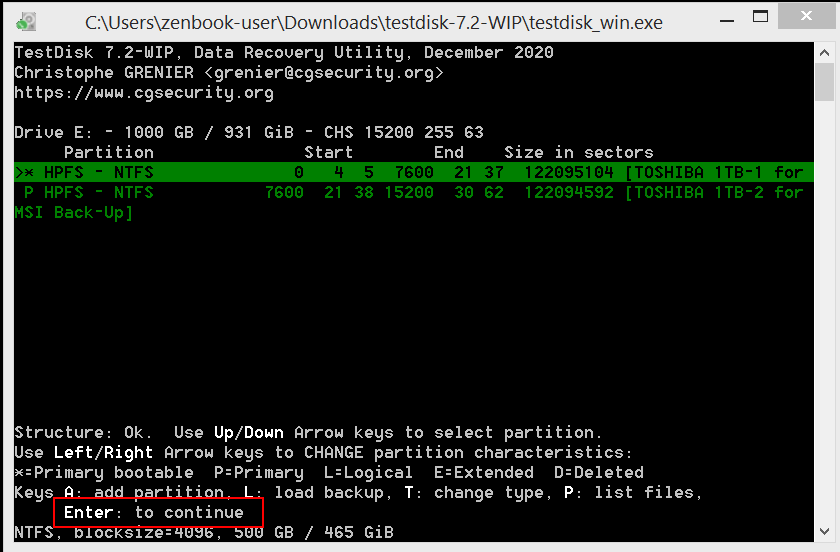
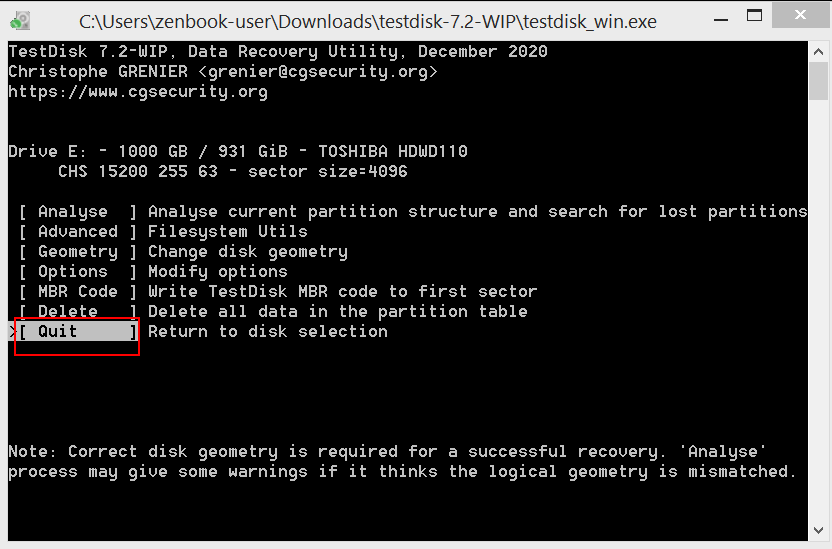
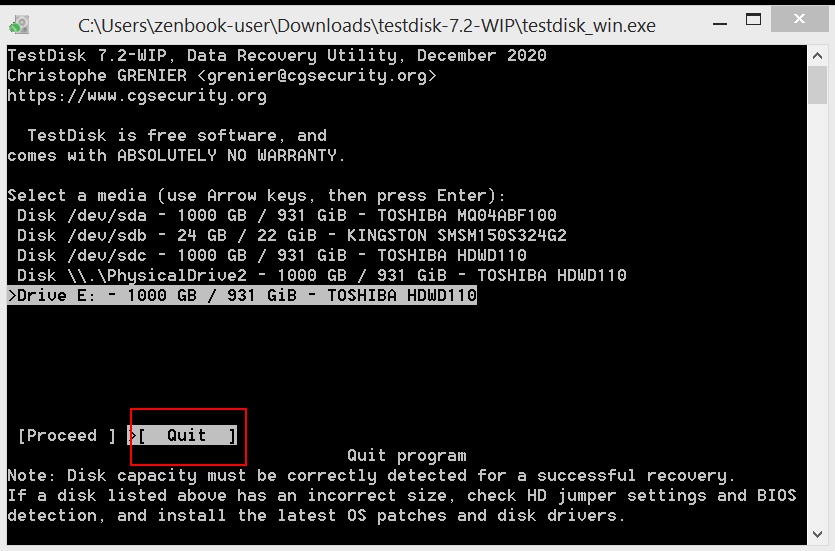
TestDisk is the free and fast while the rest comes with limitations. In this tutorial, TestDisk will be used. The only disadvantage with TestDisk — using command line instead of GUI.
First of all, to recover the lost partition, the same hard disk docking station must be used. I have moved the external hard disk to another docking station and all the above recovery tools cannot detect the lost partition.





MOBITEK® memperkenalkan kepada pengembang perangkat lunak di Indonesia SMS Gateway yang pintar dan mudah diintegrasi dengan apa-apa sistem dan aplikasi — MobiGATE serta SMS Engine Enterprise Edition
Untuk keterangan selanjutnya, sila mengunjungi laman-laman berikut:-
Applies to these products:-
